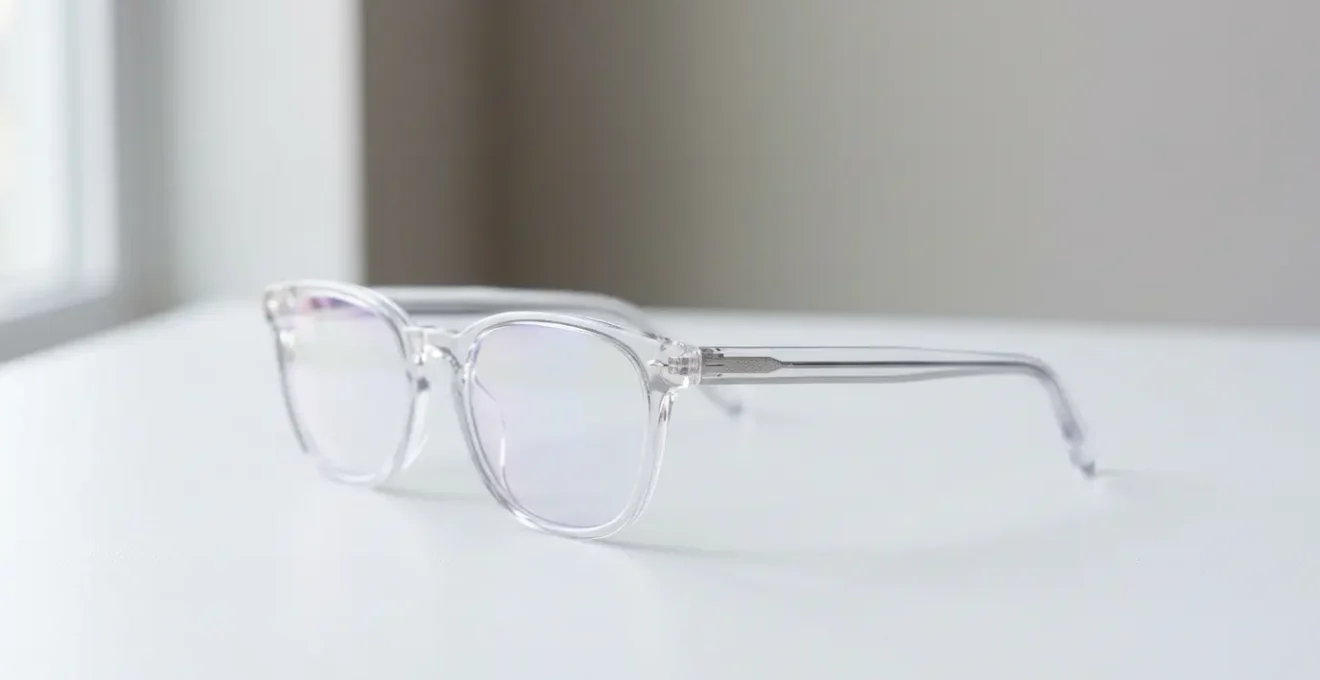
The effectiveness of blue light glasses depends entirely on using the right type of lens at the right time of day; most standard “computer glasses” fail at protecting sleep.
- Daytime glasses should only filter a small amount of harsh blue-violet light to reduce digital eye strain without distorting color accuracy.
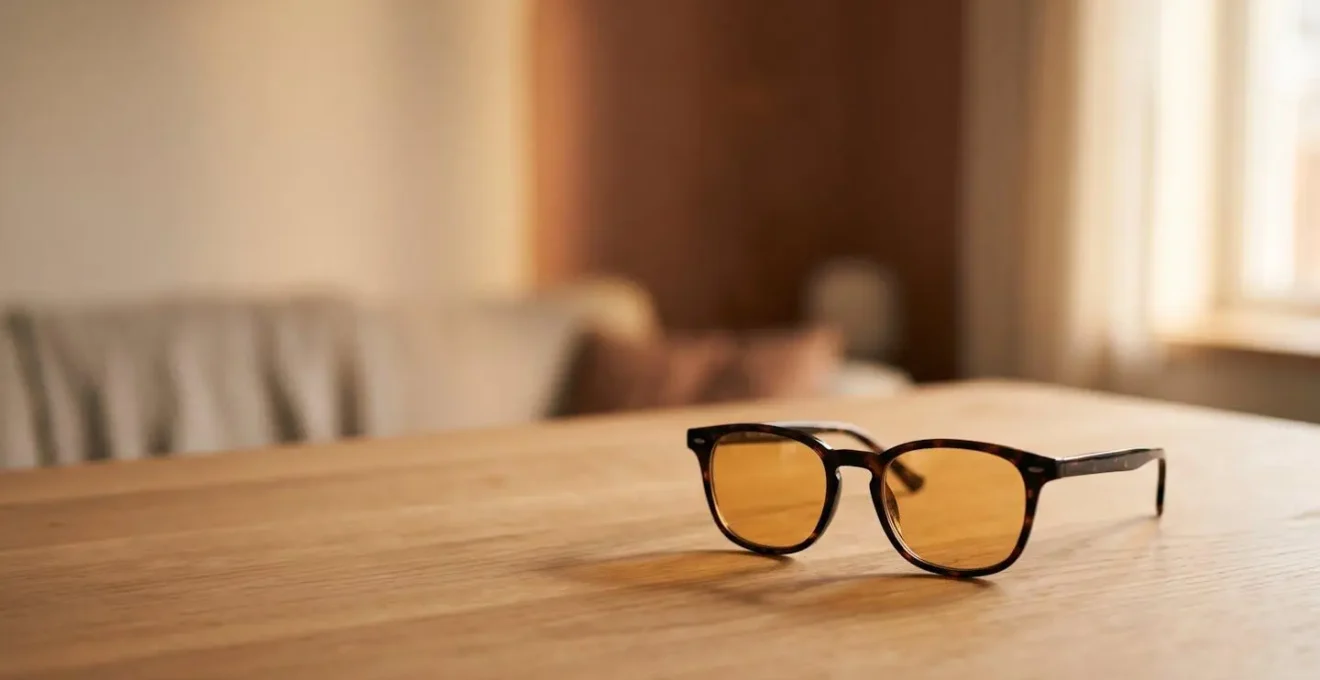
- Evening glasses must be amber or red-tinted to block the specific blue-turquoise spectrum that actively suppresses melatonin and disrupts your sleep cycle.
Recommendation: Adopt a two-glasses strategy: use clear, low-filtration lenses for daytime work comfort and switch to heavy-duty amber lenses for 2-3 hours before your desired bedtime.
If you work in an office, you know the feeling: that late-afternoon headache, the itchy, tired eyes, the subtle sense that your brain is buzzing long after you’ve logged off. The internet has a simple, one-size-fits-all solution for this modern malady: blue light blocking glasses. They’re marketed as the ultimate shield against the evils of our digital screens, promising better sleep, reduced eye strain, and preserved long-term vision. But in a market flooded with cheap online frames and bold marketing claims, it’s hard to shake the feeling that you might be buying a placebo.
The conversation usually splits into two camps. One side advocates for glasses, while the other insists that built-in software like Night Shift or f.lux is all you need. Both viewpoints, however, often miss the fundamental point. The problem isn’t just “blue light” as a monolithic evil. The science reveals a far more nuanced reality involving specific wavelengths, circadian rhythms, and the critical factor of timing. Most discussions about digital eye fatigue also conveniently ignore its other primary causes, such as screen brightness, ambient humidity, and a drastically reduced blink rate.
But what if the real key wasn’t about blocking all blue light, but about strategically managing your light exposure throughout the day? This investigation moves beyond the marketing hype to dissect the science. We will explore which light is actually disruptive, how to test if your glasses are doing anything useful, and why the most effective approach isn’t a single product, but a system of “light hygiene.” This guide will equip you to make an informed decision, separating genuine ocular protection from well-marketed gimmicks.
To navigate this complex topic, we’ve broken down the key questions and scientific realities into a clear, structured guide. Explore the sections below to understand the mechanisms at play and build your personal strategy for digital wellness.
Summary: A Critical Look at Blue Light Glasses and Eye Health
- Why Is Blue-Turquoise Light Good for You While Blue-Violet Is Bad?
- How to Test If Your Blue Light Glasses Are Actually Filtering Anything?
- Screen Software or Physical Glasses: Which Solution Protects Sleep Better?
- The Sunglass Mistake: Why Blue Light Glasses Are Not UV Protection
- When to Wear Blue Blockers: All Day or Just Before Bed?
- How to Adjust Contrast and Brightness to Reduce Eye Fatigue?
- How to Position a Humidifier to Save Your Corneas During Winter?
- Gaming and Eye Strain: How to Protect Your Teenager’s Vision During Marathons?
Why Is Blue-Turquoise Light Good for You While Blue-Violet Is Bad?
The central flaw in most marketing for blue light glasses is the idea that all blue light is uniformly harmful. The biological reality is far more sophisticated. Our bodies have evolved to use specific wavelengths of light as a crucial signal for regulating our internal clock, or circadian rhythm. The hero—and potential villain—in this story is a specific photoreceptor in your retina called the intrinsically photosensitive Retinal Ganglion Cell (ipRGC).
These cells don’t contribute much to vision itself. Instead, their primary job is to detect the intensity of ambient light and tell your brain whether it’s daytime or nighttime. As the ACS Omega Research Team notes, while our visual brightness perception peaks in the green-yellow part of the spectrum (555 nm), our circadian system is tuned to a different channel. A scientific consensus confirms that ipRGCs are most sensitive to blue-turquoise light around the 480 nm wavelength. Exposure to this light, especially in the morning, is essential. It suppresses melatonin, boosts alertness, and firmly anchors our body clock to the 24-hour day.
The problem arises from the two different ends of the blue light spectrum. Blue-turquoise light (~460-495 nm) is the primary regulator of our sleep-wake cycle. However, the shorter, higher-energy blue-violet light (~400-455 nm) is what’s more commonly associated with the unproven but concerning claims of long-term retinal damage and is a component of digital eye strain. A truly “smart” pair of glasses, therefore, shouldn’t aim to block all blue light. During the day, an ideal lens would selectively filter a portion of the harsh blue-violet light while allowing the beneficial blue-turquoise light to pass through, preserving your energy and mood.
How to Test If Your Blue Light Glasses Are Actually Filtering Anything?
Many online retailers include a small blue LED laser pointer and a test card with their glasses, claiming that if the light doesn’t pass through the lens, the glasses work. This is a deceptive marketing gimmick. These cheap lasers emit a high-energy violet light (around 405 nm) that almost any lens, even a clear, uncoated piece of plastic, will block to some degree. It tells you nothing about the lens’s performance across the relevant blue light spectrum (450-495 nm).
A more reliable, albeit still basic, home test is the reflection test. Hold the glasses up and look at their reflection against a light source. High-quality daytime computer glasses have a special anti-reflective coating that is tuned to filter specific wavelengths. This coating almost always produces a characteristic colored sheen on the lens surface—typically a faint blue, purple, or greenish hue. If the reflection is pure white, just like a regular window, it’s highly probable the lenses have no meaningful blue light filtering coating at all.
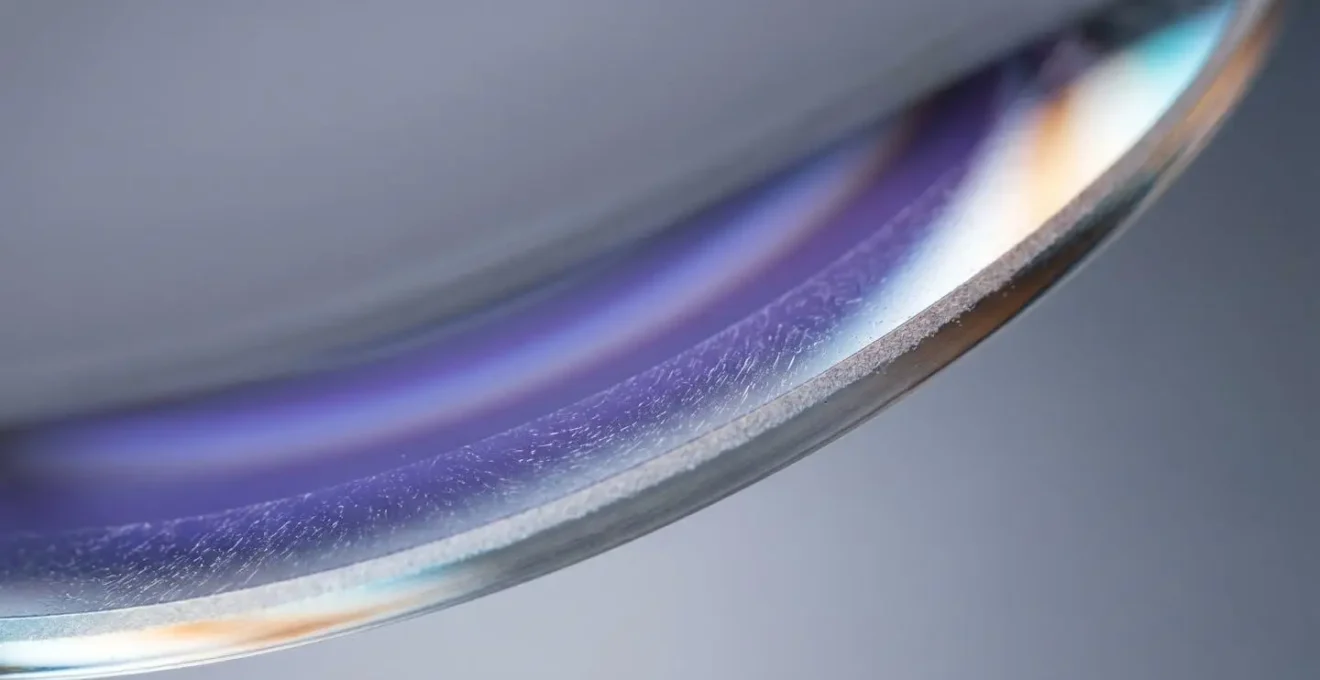
While this visual check can help you spot the most obvious fakes, it doesn’t quantify the level of protection. Reputable manufacturers will provide a specification sheet detailing exactly what percentage of light is blocked at which wavelengths. Standard clear lenses might block 10-25% of blue light, which can be sufficient for reducing daytime digital eye strain. In contrast, heavy-duty amber lenses designed for sleep can block over 80% of the blue spectrum, which is necessary for robust circadian protection in the evening.
Screen Software or Physical Glasses: Which Solution Protects Sleep Better?
For office workers aiming to protect their sleep, the debate often comes down to two options: using built-in software like Windows’ Night Light or Apple’s Night Shift, or investing in a physical pair of glasses. While software is free and convenient, it has a critical, often overlooked flaw: it only controls the light coming from your screen. It does nothing to protect you from the rest of your light environment. In the evening, this includes overhead LED bulbs, your television, and other ambient light sources that all emit sleep-disrupting blue light.
The impact of this environmental light is not trivial. For instance, a 2021 study on university students demonstrated that just 2 hours of evening light exposure caused an average circadian phase delay of 1.1 hours, effectively pushing their internal bedtime back by over an hour. Physical glasses create a protective barrier against all light sources, providing a much more robust shield for your melatonin production.
Furthermore, the effectiveness of software filters is often limited. They work by shifting the color temperature of your display, but their ability to reduce the actual “melanopic flux”—the light that most stimulates the ipRGCs—is capped. Physical amber or red-tinted lenses are far more powerful. This comparative table breaks down the key differences:
| Factor | Software Filters (Night Shift/f.lux) | Physical Blue Light Glasses |
|---|---|---|
| Light Source Coverage | Single device only (your screen) | All ambient sources (LED lights, other screens, TV) |
| Melanopic Flux Reduction | Maximum 50% reduction possible | 50-90%+ depending on lens tint (amber/red) |
| Color Accuracy | Significantly altered, unsuitable for design work | Clear lenses maintain color accuracy for daytime use |
| Compliance Barrier | Easily disabled for “just one minute” | Physical barrier creates consistent protection |
| Best Use Case | Office workers, daytime eye strain | Evening TV viewing, multi-screen environments, pre-sleep protection |
Ultimately, for the specific goal of improving sleep quality, physical glasses—especially amber-tinted ones worn in the hours before bed—are demonstrably superior to software-only solutions because they offer comprehensive environmental protection.
The Sunglass Mistake: Why Blue Light Glasses Are Not UV Protection
A common and dangerous assumption is that blue light blocking glasses also function as sunglasses, or that they provide significant protection outdoors. This is fundamentally incorrect. The intensity of blue light from the sun is orders of magnitude greater than that from any digital screen. In fact, research published in Scientific American notes that even the brightest digital device screens emit less than 1% of the blue light intensity you’re exposed to from direct sunlight.
Thinking your computer glasses will protect you outside is a critical error. As EyeBuyDirect’s eye care professionals put it, the comparison is stark:
You could gaze at your computer screen for two hours with no protective eyewear and then step outside on a sunny day without sunglasses. Within a minute of being in the sun without protection, your eyes will have received the same amount of blue-violet light exposure as staring at your screen.
– EyeBuyDirect Eye Care Professionals, How much blue light do blue light glasses filter?
More importantly, blue light filtering and ultraviolet (UV) protection are two completely different, separately regulated features. UV light occupies the spectrum just below visible light (wavelengths up to 400 nm), while the blue light we’re concerned with is in the visible spectrum (400-500 nm). A lens can block blue light without offering any UV protection, and vice versa. Wearing tinted blue blockers outdoors without certified UV protection is particularly risky. The dark lens causes your pupil to dilate, potentially allowing *more* damaging UV radiation to enter your eye than if you wore no glasses at all. To ensure you’re truly protected, you must verify both features independently.
Your Dual-Protection Pre-Purchase Checklist
- Verify Blue Light Filtering Specification: Confirm the lens blocks a specific percentage of blue-violet light (400-455nm wavelengths) with documentation from the manufacturer.
- Separately Confirm UV400 Standard: Look for explicit “100% UV400 protection” labeling, which is a regulated industry benchmark guaranteeing protection against wavelengths up to 400nm.
- Understand Dark Lens Risk: If purchasing tinted blue blockers (amber/red), ensure they carry certified UV400 protection; dark lenses without UV coating cause pupil dilation, potentially allowing more damaging UV radiation to enter the eye than wearing no glasses at all.
When to Wear Blue Blockers: All Day or Just Before Bed?
The question of “when” to wear blue light glasses is where most people go wrong. Wearing a single pair of heavy-duty amber lenses all day at the office is counterproductive. As we’ve established, you need exposure to blue-turquoise light during the day to stay alert and maintain a healthy circadian rhythm. Conversely, wearing a pair of clear, low-filtering computer glasses while watching TV late at night offers negligible protection for your sleep. The solution lies in a two-part strategy, or what can be termed “light hygiene,” using different tools for different goals.
This approach separates the goal of reducing daytime “digital eye strain” from the goal of protecting your evening “circadian rhythm.” For the former, you need lenses that offer comfort without distorting color. For the latter, you need lenses that aggressively filter the specific wavelengths that suppress melatonin, even if it means significant color distortion.
The following framework clarifies this two-strategy approach, outlining the right tool for the right job:
| Goal | Lens Type | Filtering Level | Timing | Color Impact |
|---|---|---|---|---|
| Reduce Digital Eye Strain | Clear lenses with blue filter coating | 10-30% blue-violet light (400-455nm) | All day during screen use | Minimal color distortion, true-to-color work |
| Protect Circadian Rhythm & Sleep | Amber or red tinted lenses | 50-100% blue-to-green spectrum (400-550nm) | Only 2-3 hours before desired bedtime | Noticeable amber/orange tint, not suitable for color-critical tasks |
Therefore, the answer is not one pair, but potentially two, or at least a conscious decision about your primary goal. If your main complaint is tired eyes at 3 PM, a pair of quality, clear-lensed computer glasses is a sound investment. If your primary issue is difficulty falling asleep after late-night screen time, then only a pair of dedicated, dark-tinted amber or red glasses will make a meaningful difference.
How to Adjust Contrast and Brightness to Reduce Eye Fatigue?
While blue light gets all the attention, a significant portion of what we call “digital eye strain” has little to do with specific wavelengths and everything to do with poor ergonomics and screen settings. Before investing in any glasses, it’s critical to optimize your digital environment. One of the biggest culprits of eye fatigue is a screen that is excessively bright relative to the surrounding room.
A simple yet highly effective method is the “Paper White Calibration.” Open a blank white document that fills most of your screen. Hold a physical piece of white paper next to your monitor. Now, adjust your screen’s brightness down until its white background matches the brightness of the paper in your room’s ambient light. The goal is for your screen to be a source of information, not a source of illumination. For many office workers, this will mean reducing brightness to as low as 20-30% of its maximum setting.
Beyond brightness, contrast and text rendering play a huge role. While “dark mode” is popular, it can be problematic for users with astigmatism, as the high contrast of white text on a pure black background can cause a “halation” effect, making letters appear blurry and increasing strain. A better approach is often to use an off-white, sepia, or grey background. Finally, you should also optimize how your computer renders text by calibrating its font smoothing settings (such as ClearType on Windows), which can drastically reduce the cognitive load of reading from a screen. These adjustments are free and can provide more immediate relief than any pair of glasses.
How to Position a Humidifier to Save Your Corneas During Winter?
One of the most overlooked factors in digital eye strain is ocular dryness. The reason our eyes feel so gritty and tired after hours on the computer is not just the light, but the simple fact that we forget to blink. As comprehensive reviews on digital eye strain point out, focusing intently on a screen causes a startling 50% reduction in our natural blink rate. Blinking is the mechanism that replenishes the tear film on our corneas, keeping them lubricated and protected. When we do it half as often, our eyes inevitably dry out.
This problem is severely exacerbated by modern indoor environments, especially during winter when central heating systems parch the air. A dry environment accelerates the evaporation of what little tear film you have left. In fact, many optometrists argue that dryness, not blue light, is the primary driver of discomfort for most office workers. A 2024 CooperVision research report found that nearly 7 in 10 respondents reported symptoms of digital eye strain, a widespread issue where dryness is a key contributor.
The primary cause of ‘digital eye strain’ is often not blue light, but severe dryness caused by a 50% reduction in blink rate when we focus on screens, exacerbated by dry indoor air.
– Digital Eye Strain Researchers, Digital Eye Strain- A Comprehensive Review
This is where a simple humidifier becomes a powerful ergonomic tool. By maintaining a healthy level of ambient humidity (ideally between 40-50%) in your workspace, you slow the evaporation of your tear film, providing significant relief. For optimal effect, position a personal humidifier on your desk. The ideal placement is off to one side, about an arm’s length away. You want the cool mist to gently humidify the air around you, not to be aimed directly at your face or your electronics. This simple, non-optical solution can be more effective for treating symptoms of dryness and irritation than any pair of glasses.
Key Takeaways
- Not all blue light is bad; beneficial blue-turquoise light (~480nm) is essential for regulating your body clock and alertness during the day.
- Adopt a two-part strategy: use clear, low-filtering glasses for daytime eye comfort and switch to heavy-duty amber/red lenses 2-3 hours before bed to protect sleep.
- A huge component of “digital eye strain” is simply ocular dryness caused by a 50% reduced blink rate and poor screen settings, which glasses alone cannot fix.
Gaming and Eye Strain: How to Protect Your Teenager’s Vision During Marathons?
While the focus of this article is the office worker, we can learn a great deal by observing “extreme users” like professional gamers and teenagers during gaming marathons. These groups push the limits of visual endurance, and the solutions that work for them offer powerful lessons for us all. The prevalence of Digital Eye Strain (DES) is incredibly high in these demographics; a 2024 study of adolescents found a staggering 63.7% prevalence of DES, highlighting the intensity of the problem.
The most important lesson from this research is the critical role of structured breaks. The same 2024 study found a significant link between shorter break durations and higher rates of eye strain. This validates the widely-known but rarely-practiced 20-20-20 rule: every 20 minutes, you must look away from your screen at an object at least 20 feet away for a full 20 seconds. This simple action forces your eyes to relax their focus and gives you a moment to blink and re-lubricate the cornea. Setting a recurring timer is a non-negotiable strategy for anyone spending long hours in front of a screen.
Beyond breaks, other proactive measures can make a world of difference. Using preservative-free lubricating eye drops *before* a long session can create a protective buffer against dryness. For gamers, ensuring their monitor has a high refresh rate (120Hz+) and enabling motion blur reduction technology reduces the visual processing strain on the brain. While you may not be a gamer, the principle is universal: a combination of behavioral changes (breaks), environmental management (humidity, screen settings), and targeted tools (lubricating drops, appropriate glasses) forms a holistic system of defense. No single product is a magic bullet.
Protecting your vision in the digital age isn’t about finding a single magic solution, but about building a personal system of smart light hygiene and ergonomic practices. Instead of searching for one pair of glasses to solve all problems, start by assessing your environment and your habits. Calibrate your monitor’s brightness, be mindful of your blink rate, and strategically implement the 20-20-20 rule. From there, you can make an informed decision on whether a pair of daytime computer glasses or evening amber blockers fits into your comprehensive wellness strategy.